
In today’s digital world, images play a very important role in communication. Whether you are running a blog, managing social media, doing digital marketing, or creating content, high-quality images are essential. However, not everyone has expensive software or professional design skills. This is where free online image editing tools become very useful.
These tools allow users to edit, enhance, resize, and design images directly from a browser without downloading heavy software. They are simple, fast, and perfect for beginners as well as professionals who want quick editing solutions.
In this article, we will explore the best free online image editing tools, their features, and how they can help improve your visuals easily.
Why Free Online Image Editing Tools Are Important
Image editing tools are important for many reasons, especially in the digital era:
- They help improve image quality
- They make content more attractive
- They are useful for social media and blogging
- They save time and money
- They are easy to use for beginners
- They do not require installation
Because of these benefits, online image editors have become very popular among students, bloggers, designers, and marketers.
1. Canva
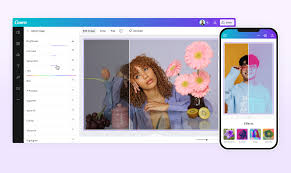
Canva is one of the most popular free online design and image editing tools used worldwide.
Features:
- Drag-and-drop editor
- Ready-made templates
- Photo editing and filters
- Text and graphic tools
- Social media post design
Why it is useful:
Canva is perfect for beginners because it does not require design skills. You can create professional-looking images in minutes.
2. Pixlr
Pixlr is a powerful online photo editor that works directly in your browser.
Features:
- Advanced photo editing tools
- Layers support
- Filters and effects
- Background removal
- Crop and resize options
Why it is useful:
Pixlr is great for users who want more advanced editing features without using Photoshop.
3. Fotor
Fotor is a simple yet powerful online image editing platform.
Features:
- One-click photo enhancement
- Beauty retouch tools
- Collage maker
- Filters and effects
- Text editing tools
Why it is useful:
Fotor is perfect for quick edits and improving image quality instantly.
4. Photopea
Photopea is a free online editor that looks and works like professional software.
Features:
- Supports PSD files
- Layer-based editing
- Advanced tools like Photoshop
- Works without installation
- Free for all users
Why it is useful:
Photopea is ideal for users who want professional-level editing without paying for software.
5. Remove.bg
Remove.bg is a specialized tool for removing image backgrounds automatically.
Features:
- One-click background removal
- AI-based processing
- High-quality output
- Supports all image types
Why it is useful:
It saves a lot of time for designers and marketers who need clean background-free images.
6. Adobe Express
Adobe Express is a free online design and editing tool by Adobe.
Features:
- Professional templates
- Easy editing tools
- Social media content creation
- Image resizing and enhancement
Why it is useful:
It combines simplicity with professional quality, making it perfect for beginners and creators.
7. BeFunky
BeFunky is a user-friendly online photo editing tool.
Features:
- Photo effects and filters
- Collage maker
- Retouch tools
- Simple interface
Why it is useful:
BeFunky is ideal for users who want quick and creative edits without complexity.
8. Lunapic
Lunapic is a free online editor with many creative effects.
Features:
- Animated effects
- Filters and artistic tools
- Image editing options
- Simple upload and edit system
Why it is useful:
It is great for experimenting with creative and fun image styles.
9. Canva Alternatives for Quick Editing
Apart from Canva, many users also use simple tools like:
- Basic crop tools
- Online resize tools
- Simple collage makers
These tools are useful when you need fast and small edits without full design work.
10. Benefits of Using Free Online Image Editing Tools
Using these tools offers many advantages:
1. No Installation Needed
You can edit images directly in your browser.
2. Cost-Free
Most tools are completely free to use.
3. Beginner-Friendly
Simple interfaces make editing easy for everyone.
4. Time-Saving
Quick edits can be done in minutes.
5. Professional Results
Even beginners can create high-quality visuals.
Common Uses of Online Image Editing Tools
These tools are used in many fields:
- Social media content creation
- Blog and website images
- YouTube thumbnails
- Marketing banners
- School and college projects
- Business promotions
Tips for Better Image Editing
- Use high-quality images for editing
- Keep designs simple and clean
- Use contrast to highlight text
- Avoid over-editing images
- Choose colors that match your brand or theme
Conclusion
Free online image editing tools have made it easy for everyone to create and edit professional-quality images without expensive software. Whether you are a student, blogger, marketer, or content creator, these tools can save time and improve your visual content.
Tools like Canva, Pixlr, Fotor, and Photopea provide powerful features that help users design, edit, and enhance images easily. With the right tools and creativity, anyone can create attractive visuals that stand out online.